On-Premises VMware ESXi Host: HP EliteDesk 800 G4 Mini
One of the core pieces of my home lab is a compact HP EliteDesk 800 G4 Mini that serves as the physical host for my on-premises virtualization environment.
Despite its small form factor, this system provides enough resources to run a useful collection of infrastructure and testing workloads while keeping the lab relatively compact and power-efficient.
Hardware
The host is configured with:
- HP EliteDesk 800 G4 Mini
- Intel Core i5-8500T
- 6 logical CPUs
- 32 GB RAM
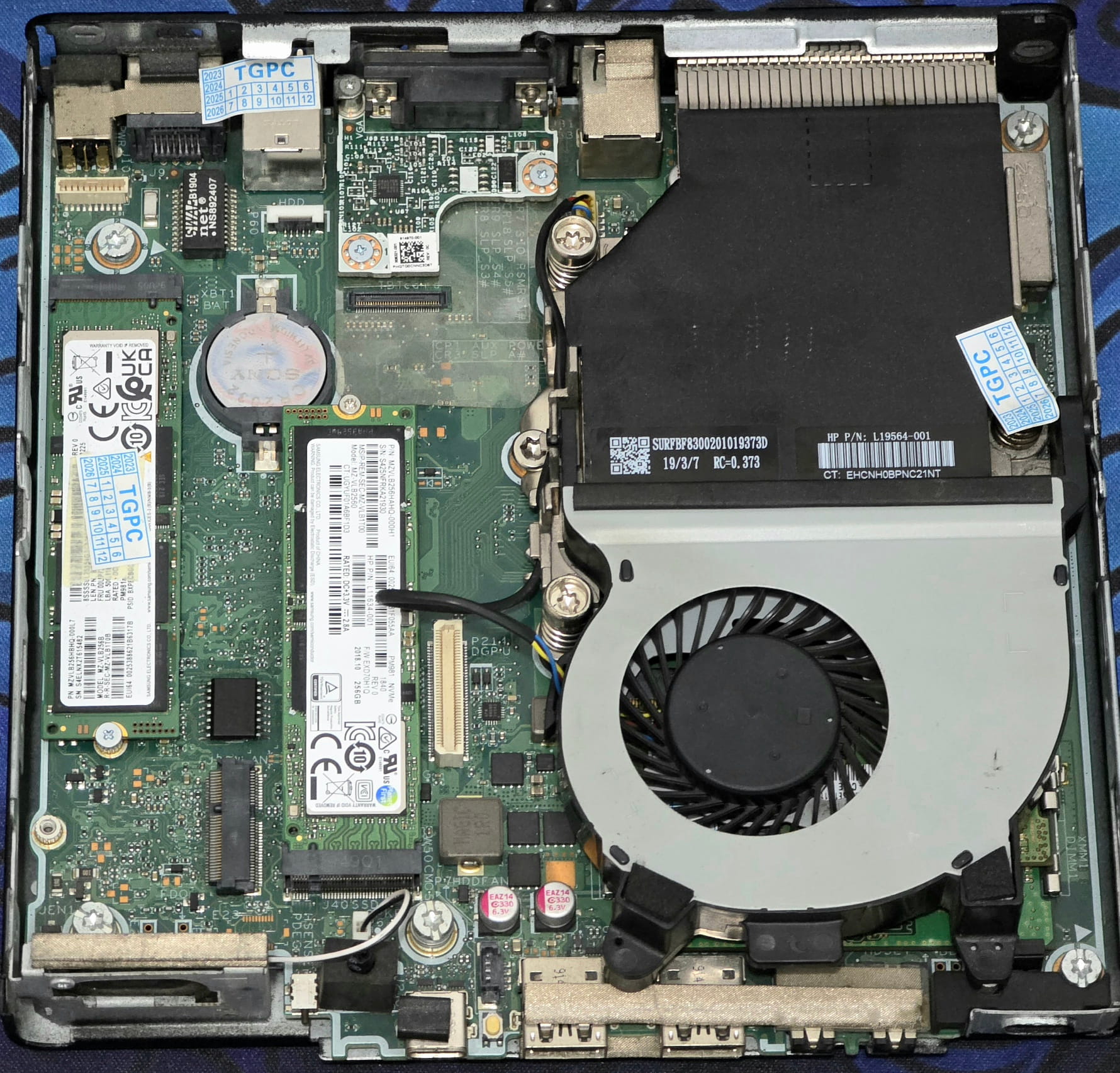
- 2 x 256gb Internal NVMe storage
- VMware ESXi 7.0 Update 3
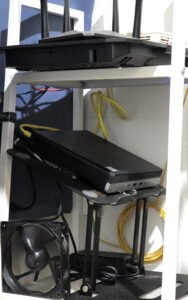
The small form factor makes it a practical platform for an always-on home lab. The system is mounted on a compact shelf alongside the networking equipment and other infrastructure components.
Virtualization Platform
VMware ESXi runs directly on the EliteDesk and provides the virtualization layer for the on-premises portion of the lab.
The host currently supports infrastructure and testing workloads including:
- pfSense — Virtualized firewall and router
- Windows Server — Active Directory, DNS, NPS, and Windows infrastructure testing
- Windows client — endpoint and domain testing
- Ubuntu Linux ML — machine-learning and data-analysis workloads
- Ubuntu Linux WEB — web server workloads
- Ubuntu Linux DB — database workloads
- Sophos Firewall — isolated firewall and VPN testing
The ESXi host also provides several isolated virtual networks, allowing firewall, routing, VPN, and server configurations to be tested without putting experimental traffic directly onto the primary network.
Network Architecture
The ESXi environment is integrated with the rest of the lab through dedicated virtual networking.
At a high level:
                    Internet
                       │
                       ▼
                Cloud Infrastructure
                       │
                    IPsec VPN
                       │
                       ▼
              ┌───────────────────┐
              │     pfSense       │
              │ Virtual Firewall  │
              └─────────┬─────────┘
                        │
           Internal LAN & ESXI Port Groups
                        │
          ┌─────────────┼─────────────┐
          │             │             │
       Windows       Linux VMs    Security Lab
       Systems       Web / DB     Sophos Firewall
                                  Testing
This gives me a small but fairly complete infrastructure environment in which I can work across virtualization, networking, Linux, Windows, firewalls, VPNs, identity services, web infrastructure, and automation.
Why This Hardware?
The EliteDesk is a good example of how enterprise-style infrastructure doesn’t necessarily require enterprise-scale hardware.
The combination of:
- 6 CPU threads
- 32 GB RAM
- NVMe storage
- low-power desktop-class hardware
- VMware ESXi
provides enough capacity for multiple infrastructure services while keeping the physical footprint small.
More importantly, the value of the system is in how it is integrated with the rest of the environment. The ESXi host forms the on-premises virtualization layer, while cloud infrastructure provides additional routing, VPN, and Internet-facing services.
What This Lab Demonstrates
This platform is part of a broader hands-on infrastructure environment covering:
Virtualization
- VMware ESXi
- Virtual networking
- Multi-VM infrastructure
- Network isolation
Networking & Security
- pfSense
- Sophos Firewall
- IPsec
- WireGuard
- StrongSwan
- FreeRADIUS
- PKI
- Firewall policy
Systems Administration
- Linux
- Windows Server
- Active Directory
- DNS
- NGINX
- PHP
- MySQL
Infrastructure Engineering
- Service integration
- Network segmentation
- Configuration management
- Shell scripting
- Git
- Troubleshooting
- Reproducible infrastructure changes
The physical host may be a small desktop, but it provides the foundation for a much larger enterprise-style systems engineering lab.