Windows Server 2016: Active Directory, DNS, NPS & Microsoft Entra Integration
The Windows Server VM in my home lab provides the identity and core Windows infrastructure layer for the on-premises environment.
Rather than using the server simply as a Windows VM, I use it to reproduce several services commonly found in a small enterprise environment: Active Directory Domain Services, DNS, Network Policy Server/RADIUS, and Microsoft Entra integration.
This provides a useful environment for testing authentication, identity synchronization, network access policies, and hybrid-cloud administration.
Active Directory Domain Services
The server operates as the domain controller for the laboratory’s Windows environment.
Active Directory provides the central identity store for the on-premises network, including users, groups, computers, and service accounts. The directory is organized into separate organizational units for different types of objects, including:
- Users
- Workstations
- Groups
- Service accounts
- Domain controllers
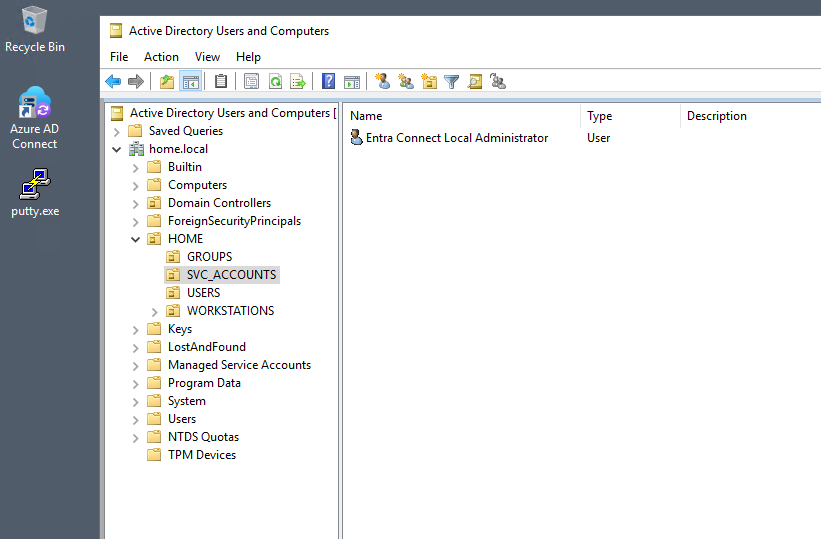
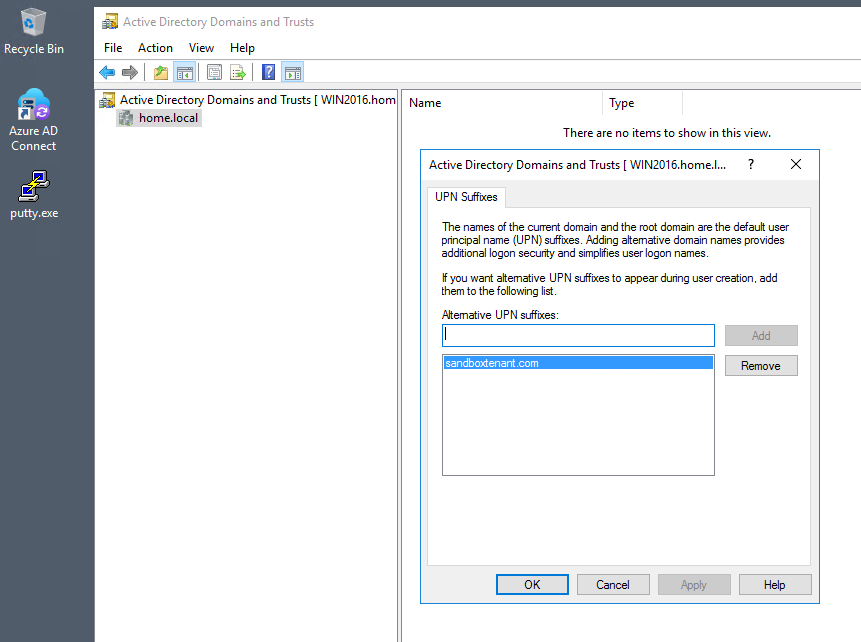
Keeping these objects organized into appropriate OUs makes the environment more representative of a real Windows infrastructure rather than treating Active Directory as a flat collection of accounts. The environment also provides a dedicated domain namespace for the internal Windows infrastructure.
DNS
DNS is integrated with Active Directory and provides name resolution for the Windows environment.
The server maintains:
- Forward lookup zones
- Reverse lookup zones
- Active Directory-integrated DNS zones
- Conditional forwarding
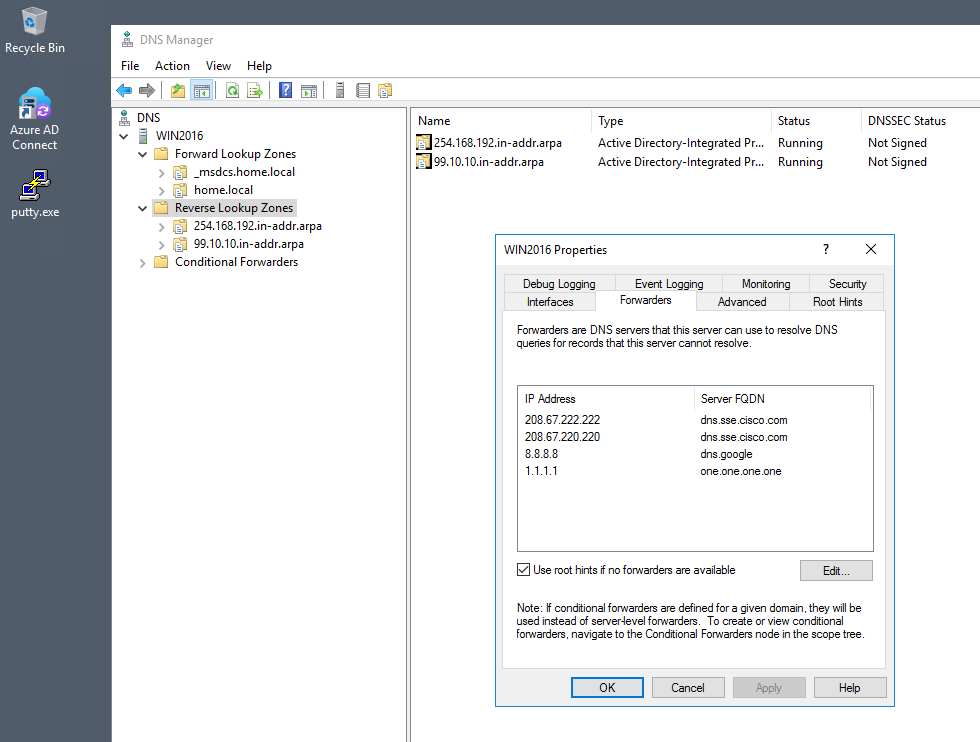
- External DNS forwarding
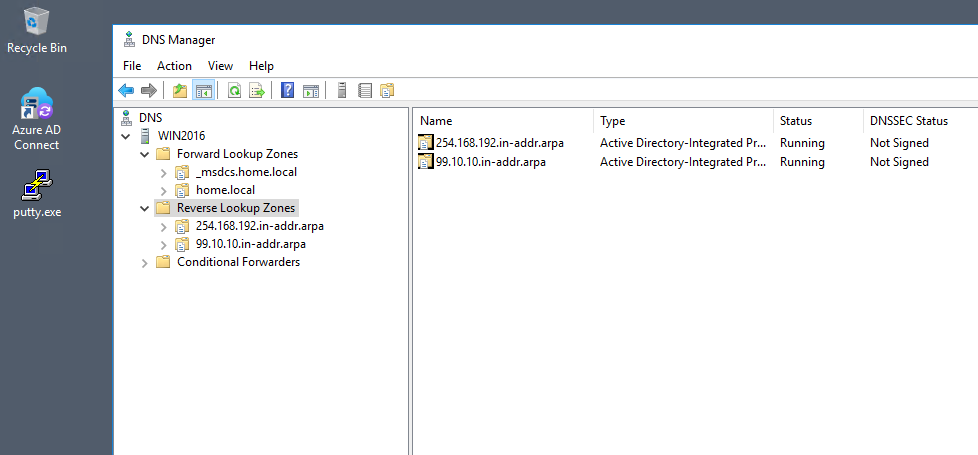
The reverse lookup configuration is also maintained for the internal networks. External DNS resolution is handled through configured forwarders, while internal Active Directory records remain authoritative within the lab.
Network Policy Server / RADIUS
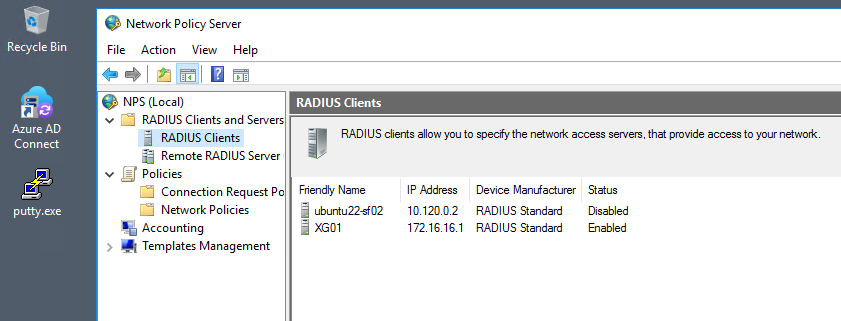
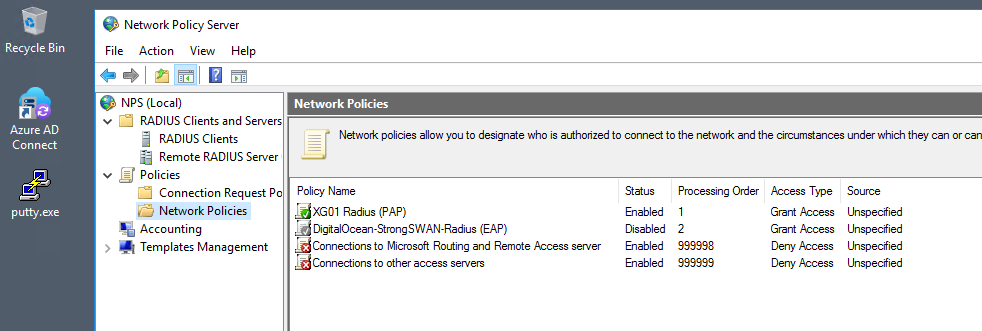
The server also runs Microsoft Network Policy Server (NPS). NPS provides a RADIUS-based authentication and authorization layer that can be consumed by network infrastructure and VPN services.
The lab contains configured RADIUS clients representing network/security infrastructure. Network policies determine which authentication requests are permitted and how those requests should be handled.
This gives the lab an additional identity integration point:
Network / VPN Service
        │
        ▼
      RADIUS
        │
        ▼
       NPS
        │
        ▼
 Active Directory
        │
        ▼
User / Group Identity
This is particularly useful for testing authentication flows where the network appliance should not maintain its own independent user database.
Microsoft Entra Integration
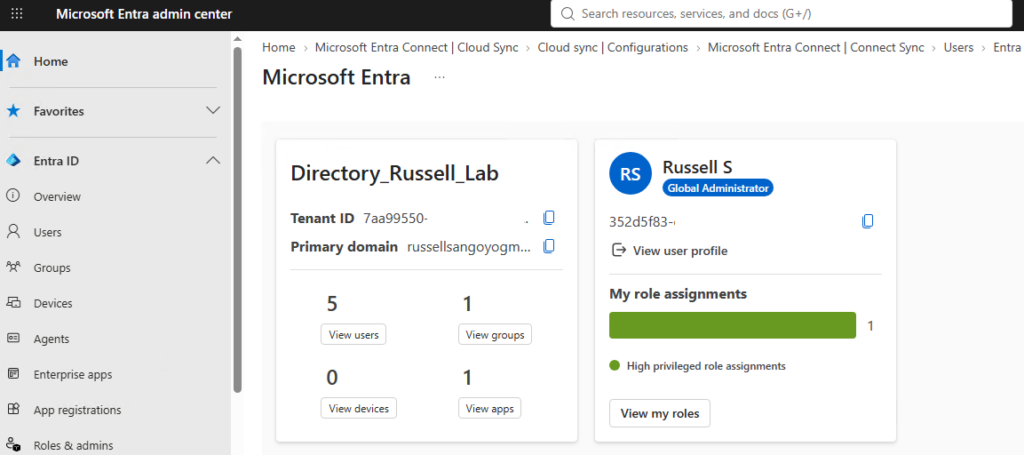
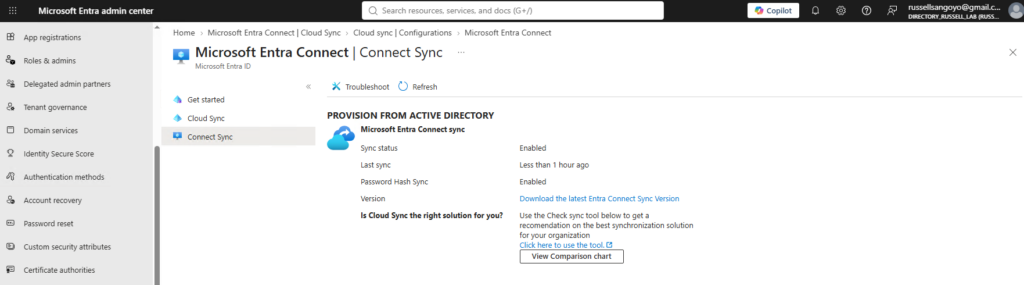
The other major component of the server is its integration with Microsoft Entra ID. The on-premises Active Directory environment is synchronized with the cloud directory using Microsoft Entra Connect.
This creates a hybrid identity architecture:
       On-Premises
       ────────────

   Active Directory
          │
          │
          ▼
   Entra Connect
          │
          │ Synchronization
          ▼
    Microsoft Entra ID
       Cloud Directory
This provides a practical environment for understanding how identity data moves between an on-premises directory and Microsoft’s cloud identity platform.
Password Hash Synchronization
The Entra Connect configuration also demonstrates Password Hash Synchronization (PHS) as part of the hybrid identity design.
This gives me hands-on experience with an important hybrid identity pattern rather than treating Microsoft Entra ID as an isolated cloud service.
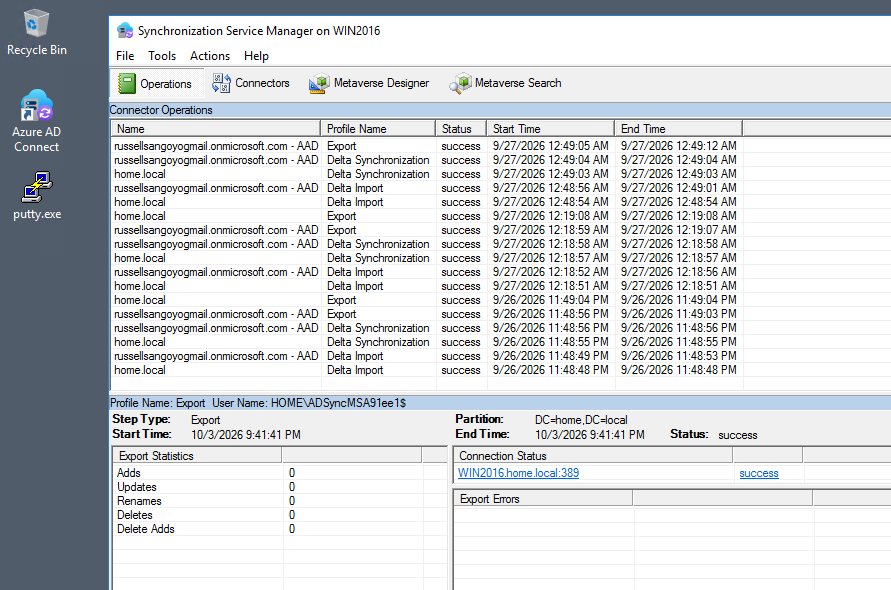
Microsoft Entra Administration
The cloud side of the integration is managed through the Microsoft Entra admin center. The lab directory provides a controlled environment for working with:
- Users
- Groups
- Enterprise applications
- Application registrations
- Directory roles
- Synchronization
- Authentication configuration
- Microsoft Graph
The goal isn’t simply to demonstrate that synchronization is enabled. The environment gives me a place to work across the boundary between traditional Windows infrastructure and cloud identity services.
Microsoft Graph & PowerShell
The Microsoft Graph Command Line Tools enterprise application is present in the Entra environment. This represents another layer of the infrastructure:
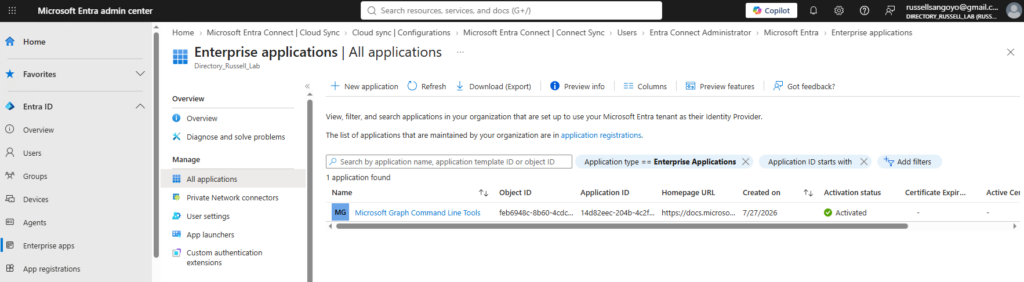
PowerShell
    │
    ▼
Microsoft Graph
    │
    ▼
Microsoft Entra ID
    │
    ├── Users
    ├── Groups
    ├── Applications
    └── Directory Resources
Rather than relying exclusively on graphical administration tools, I can use PowerShell and Microsoft Graph to query and work with resources in the Entra environment.
This is an important distinction in infrastructure engineering: administration increasingly involves both GUI-based configuration and programmatic interfaces.
The same environment therefore provides experience across:
- Windows PowerShell
- Microsoft Graph
- Microsoft Entra ID
- Active Directory
- Directory synchronization
- Identity APIs
Hybrid Identity Architecture
Putting the pieces together, the Windows server provides a small hybrid identity platform:
                         Cloud
                    ┌──────────────┐
                    │ Microsoft    │
                    │ Entra ID     │
                    └──────┬───────┘
                           ▲
                           │
                    Entra Connect
                           │
                           ▼
                    ┌──────────────┐
                    │ Active       │
                    │ Directory    │
                    └──────┬───────┘
                           │
             ┌─────────────┼─────────────┐
             │             │             │
            DNS           NPS       Windows Clients
             │             │
             │          RADIUS
             │             │
             │       Network / VPN
             │        Infrastructure
             │
       Internal Name Resolution
This is where the different services become more interesting than they would be individually.
Active Directory provides the identity foundation.
DNS supports the Windows domain.
NPS provides network authentication.
Entra Connect bridges the on-premises directory into the cloud.
Microsoft Graph provides a programmatic interface to the cloud identity platform.
Why This Environment Matters
The purpose of this server is not simply to run Windows Server.
It provides a controlled environment where I can work with the interaction between on-premises identity, network authentication, and cloud identity services.
That allows me to test scenarios involving:
- Active Directory administration
- DNS troubleshooting
- Windows authentication
- RADIUS authentication
- Network Policy Server
- VPN authentication
- Directory synchronization
- Microsoft Entra ID
- Microsoft Graph
- PowerShell automation
- Hybrid identity
It also gives me a realistic environment in which changes to one part of the identity stack can be observed across the other components.
Skills Demonstrated
Windows Infrastructure
- Windows Server 2016
- Active Directory Domain Services
- Active Directory Users and Computers
- Active Directory Domains and Trusts
- DNS Server
- Reverse DNS
- Network Policy Server
Network Authentication
- RADIUS
- NPS policies
- RADIUS clients
- Authentication integration
- VPN/network authentication
Hybrid Identity
- Microsoft Entra ID
- Microsoft Entra Connect
- Password Hash Synchronization
- Directory synchronization
- Enterprise applications
Automation & Cloud Administration
- PowerShell
- Microsoft Graph
- Programmatic directory queries
- Cloud identity administration